%Super deals: At least 50% off
Running watches
Buying guide ↓Guide
Running watches
Decide what you want to do without a phone: record distance, guide training or navigate. Then compare controls, wrist fit and battery life in the mode you will actually use.
Key points
- Choose built-in GPS to record outdoor routes without a phone.
- Compare GPS battery life with music or navigation active.
- The watch should stay steady during arm swings without pressing.
Which functions do you need?
| Use | Choose | Bear in mind |
|---|---|---|
| Regular running | ChooseGPS and readable running data | Bear in mindTime, distance and pace should be accessible while moving without swiping through long menus. |
| Planned training | ChooseSuitable training features | Bear in mindCheck which intervals, sport profiles and sensors the exact model supports. |
| Unfamiliar routes | ChooseAppropriate navigation | Bear in mindDistinguish simple direction guidance from a visible on-watch map showing paths. |
What to look for
| Question | In brief | Why |
|---|---|---|
| Which battery figure? | In briefCompare your intended mode | WhyMusic, navigation and display settings can change battery life. Use figures for your intended activity rather than watch mode alone. |
| Which size? | In briefTry it on your wrist | WhyCase and strap should stay stable during strong arm movement. A larger display needs more space on the arm. |
| Which connections? | In briefCheck phone and sensors | WhyCheck operating system, app and desired external sensors. Maps or music may also require setup, storage or a service. |
Common questions
Do I need GPS in the watch itself?
If you want to record outdoor distance and pace without a phone, built-in satellite positioning is useful. Check the model specification so you are not relying on a phone's GPS connection.
Is a navigation line enough instead of a map?
Simple guidance can be sufficient on a familiar route. In unfamiliar places, a map shows paths in context. Before setting out, check how routes are transferred and made available offline.
How accurate is wrist heart rate?
Wear the watch steadily above the wrist bone as instructed. Movement and fit can affect readings. If you want a chest strap, check sensor support; follow the manufacturer's guidance when using training data.
Do I need my phone for music?
Phone-free music requires the appropriate model feature and prepared content. Also check headphone pairing, any subscription requirements and battery life while music is playing.
Last updated: November 2026
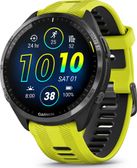
Regular runs
On your usual loop, running data should be easy to read. Compare buttons, display and fit directly on your wrist.
- Check built-in GPS
- Read running data
- Reach the buttons
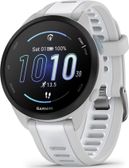
Planned training
Decide which training steps and sensors you use before buying. Check these functions in the exact model's specifications.
- Compare intervals
- Check sensor support
- Try the controls
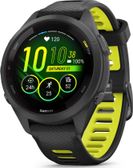
Exploring new paths
A visible path map helps in unfamiliar surroundings. Prepare maps and routes before starting and allow for navigation-mode battery use.
- Map display
- Transfer routes
- Check GPS battery life
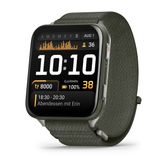
Sport and daily wear
Try the watch on and check it fits under your sleeve. Compare the sport functions you actually intend to use.
- Try the case size
- Adjust the strap
- Check sport profiles